We independently review everything we recommend. When you buy through our links, we may earn a commission.
Coros Nomad, an all-new adventure watch
50 hours GPS, offline color maps with street names, voice and location pins, on-the-go weather and tide reports
Coros Nomad
Walk into the Believe in the Run office on any given day, and you’ll find that almost all of us are wearing a Coros GPS watch. We’ve been reviewing their watches since the beginning, way back to the original Coros Apex in 2019. Since then, they’ve diversified their offerings into three model silos: 1) Pace, a lightweight, simple, budget watch that will work for 90% of runners, 2) Apex, a more robust model packed with features and long battery life, and 3) Vertix, the adventure watch built for ultra running, mountaineering, and long-distance/high-altitude excursions. Within those lines, Coros also offers Pro versions that come with elevated features, like a brighter AMOLED screen.
I’ve personally owned almost all of those watches. For years, my daily driver was the Coros Apex Pro, a watch that did everything I needed and more, with a massive battery life that lasted for weeks. Our lead trail reviewer, Taylor, has strapped the Vertix to his wrist for all backcountry adventures of any distance. Meg is a huge fan of the Pace Pro, covering everything she needs to put in 80 mile weeks on the road.
Point being, we’re big fans of Coros; for their accuracy, ease of use, battery life, and rock solid performance.
I didn’t think I needed more. And then, out of nowhere, they released the Nomad, a $349 watch designed for “hikers, anglers, and adventurers of all types.” After two months of wear, I can tell you that it’s my favorite Coros of all time, even if it may only appeal to a very specific subset of runners. Luckily, I’m one of those runners, so it works brilliantly.
Let’s find out why.

As I noted above, by Coros’ own admission, this watch is designed for hikers, anglers, and adventurers. It’s a bit of a left turn for the brand, moving away from its traditional models which cater more towards athletes in the running, cycling, and climbing space.
As an avid hiker, former avid angler (kids and marathon training have put a severe stranglehold on that hobby), and general adventurer, my interest was immediately piqued. I loved the idea and was interested to see what features were included for these types of activities.
Soon after, my test sample arrived.
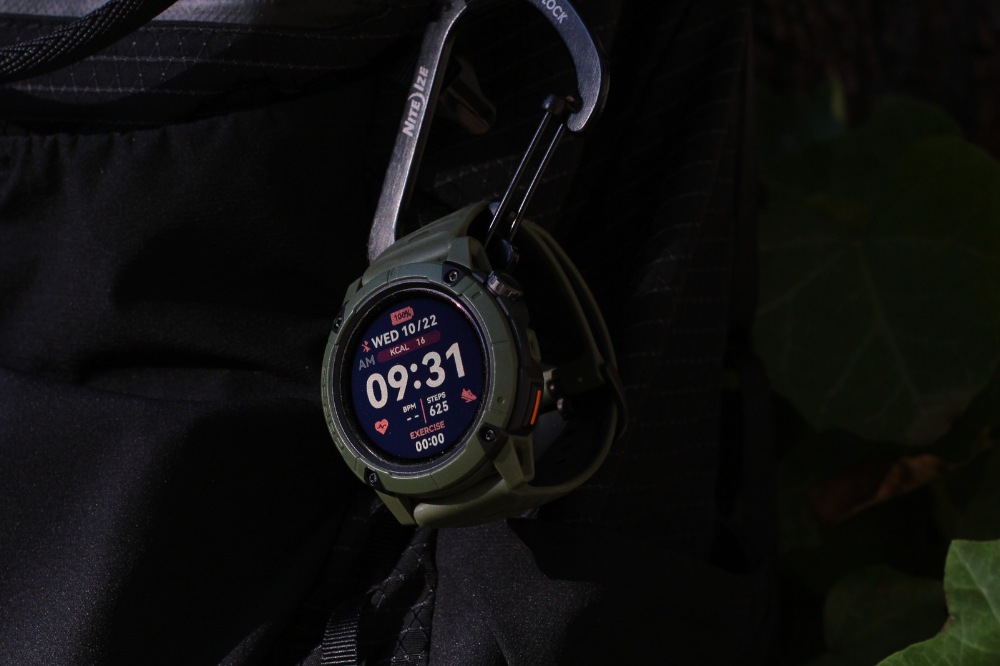
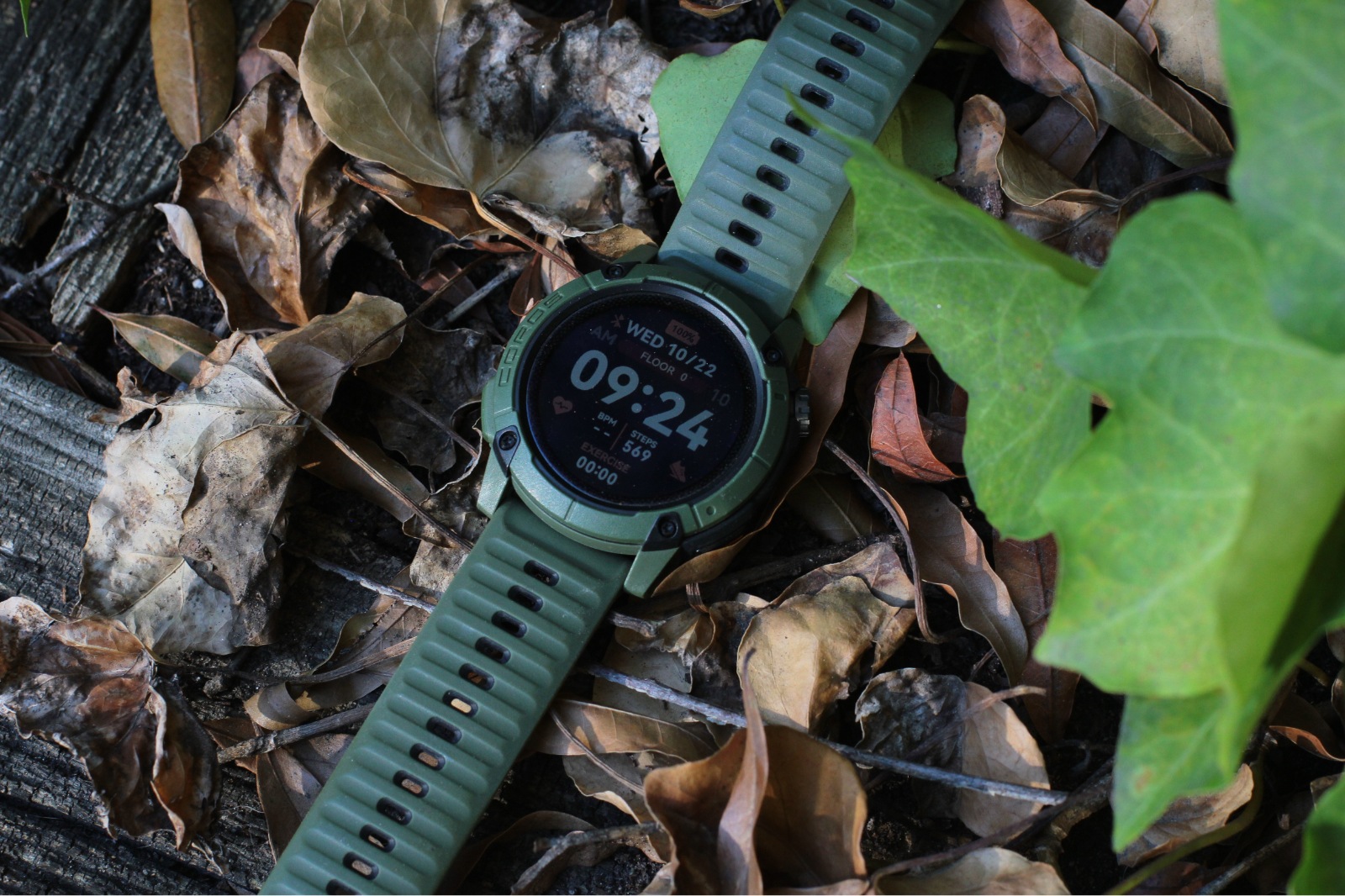
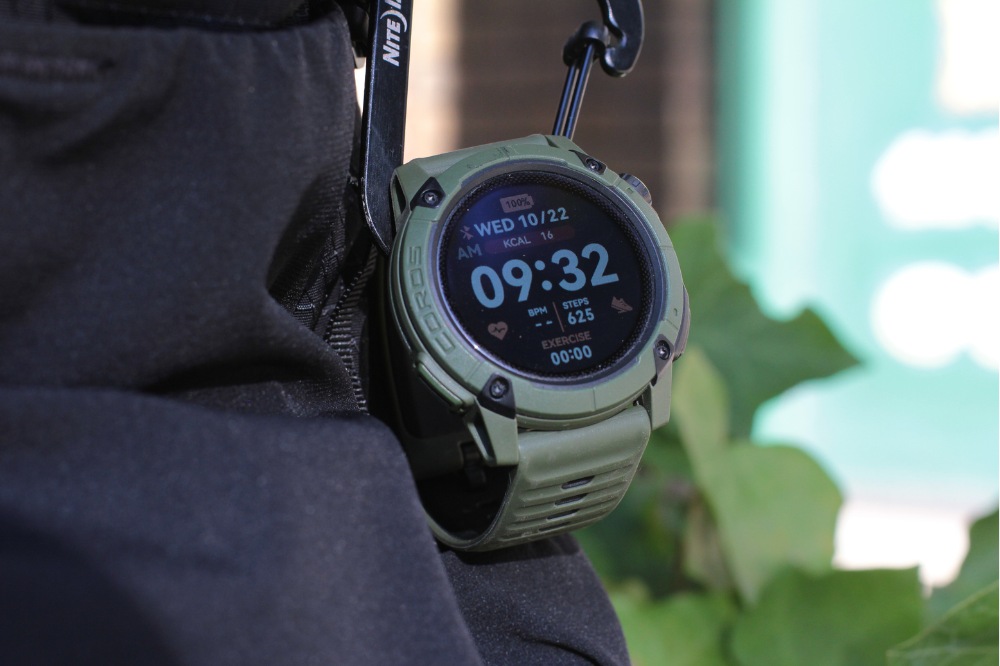
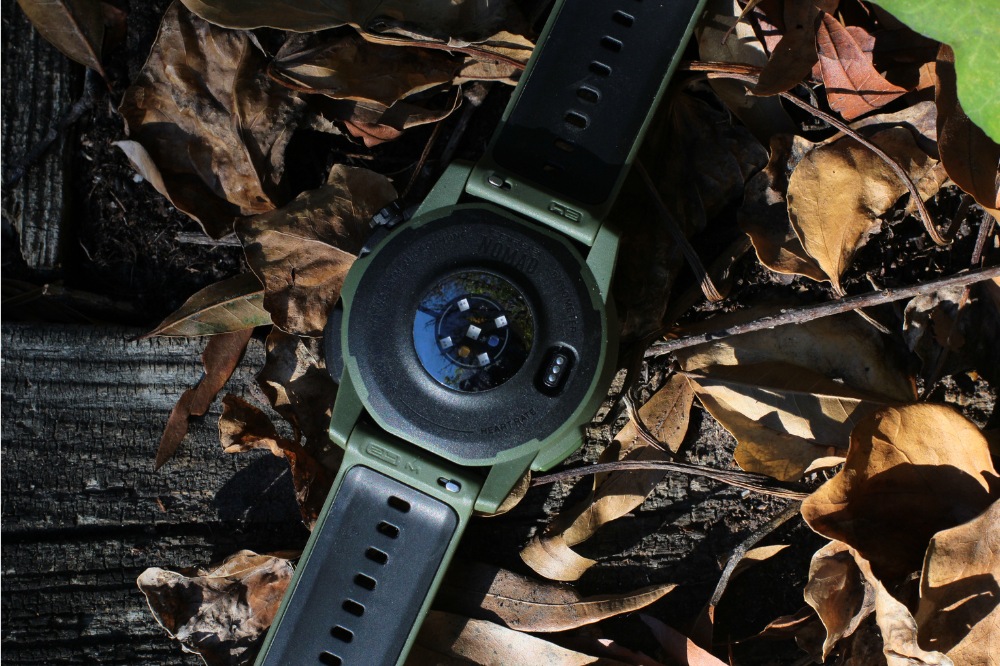
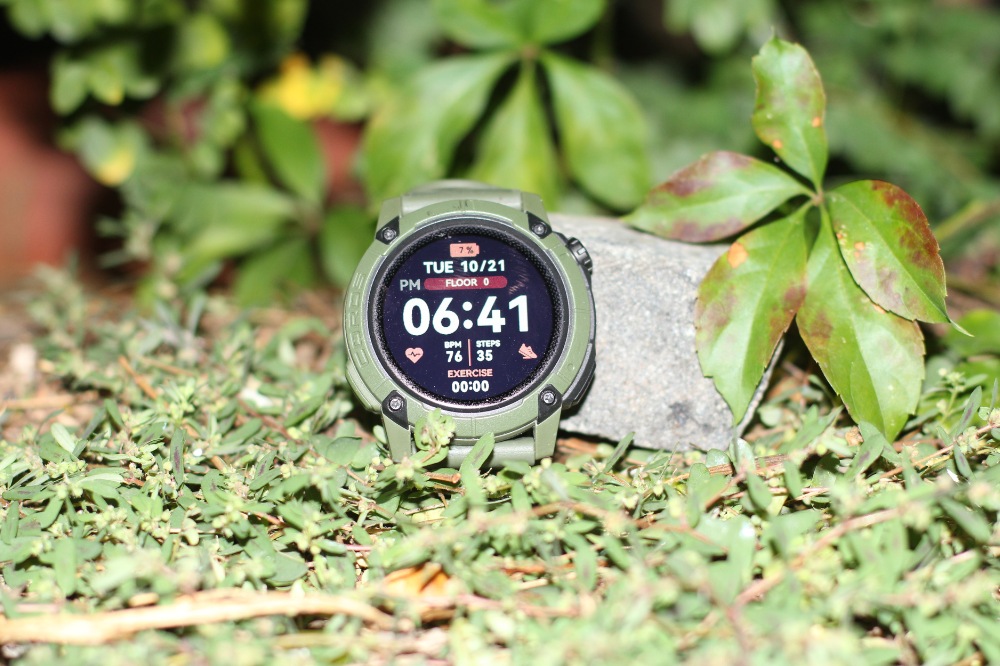
Right off the bat, the design hit me in all the sweet spots. The matte military green dual layer bezel (aluminum/polymer) with four screw-down points looks and feels rugged, exactly what you want in an adventure watch. The display is clear behind the hardened mineral glass, even if it’s not AMOLED bright. It’s fairly lightweight for its size, coming in at 61 grams with the silicone band.
As many people have noted, it bears a striking resemblance to its direct competition in the Garmin Instinct. They’re not wrong.
I get it. From the strap to the case, it looks almost identical, save for the Coros crown dial in the top right corner. I personally have not tested the Garmin Instinct, so this review will not be a direct comparison of the two. (If you want a greater comparison against that model, you can check out DC Rainmaker’s review of the watch, in which he breaks down the differences further.)
Instead, I’ll give you a breakdown of my favorite things and why you should or shouldn’t buy this watch.
Shop Coros Nomad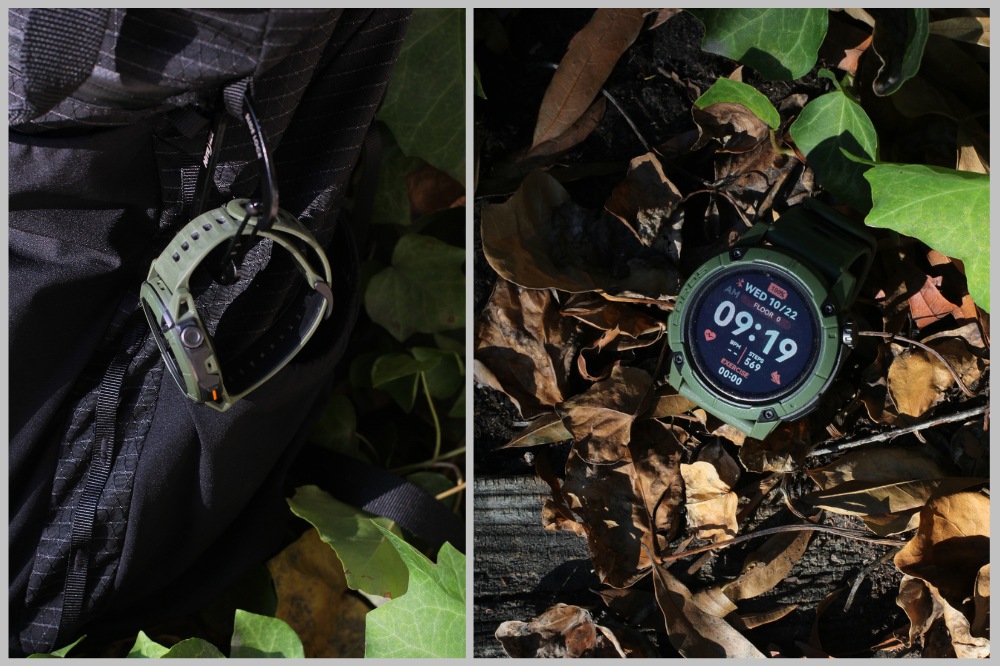
Before we get started, here is the full spec listing for the Coros, detailing the materials, dimensions, temperature and battery range, satellite systems, in-depth training features, third party integration, etc.
And here is a full feature comparison of all the Coros models, so you can see which one best suits your needs.
What separates this watch from all the others is its outdoor features. I’m not talking about GPS accuracy or altimeter or mapping qualities (though I will talk about those).
I’m talking about things that will help you plan and adjust, help you remember where you are and what you did, and take your outdoor lifestyle to the next level.
Particularly, the following features:
> Pins
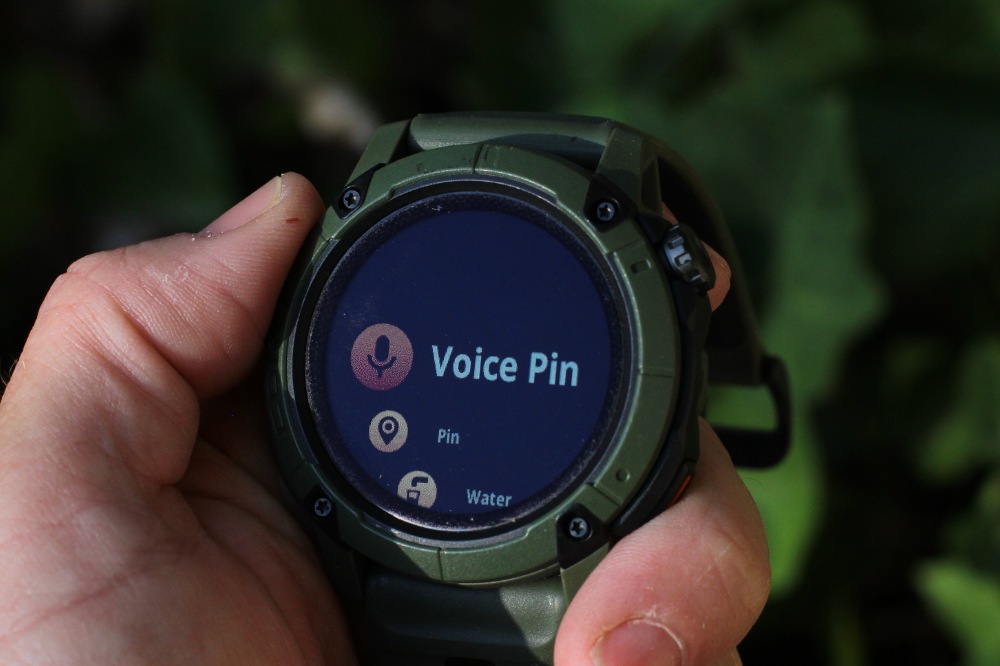
On your run, a simple press of an action button will give you the option to drop various pins. Drop a voice pin and you can record a message using the dual microphone set up on the watch. Drop a water pin to remember a water stop. Multiple in-activity pin options abound, including bathroom, trailfork, or campground. For fishing, mark a good spot for cover or structure. Drop a catch pin to remember where you caught that 5 lb. largemouth bass on a wacky rig Senko. Take a picture of the wacky rig Senko with your phone and it’ll stick to your location in the app once you sync it. When your activity is finished, all of these will show up as waypoints on your map within Coros. Navigate back to them whenever you come back.
> Weather, Moon Phases, Tides
You can now add locations within the Coros app and access the weather for each of them by flicking up on the crown dial while on the home screen of the watch. From the weather screen, you can view 5-day forecast or drop into today’s forecast and get the hourly report, wind report, barometric pressure, and tide report.
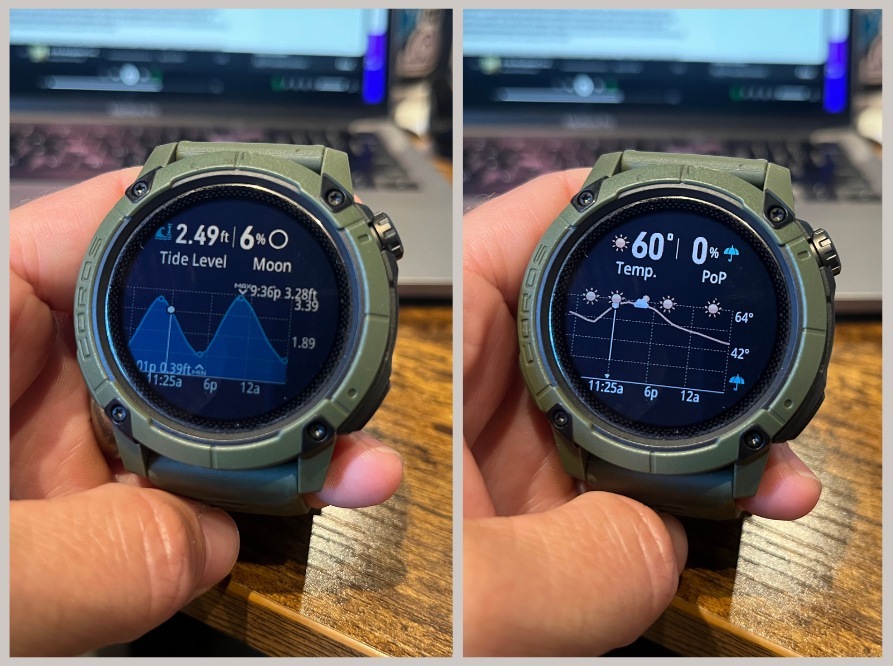
Tide chart (left), hourly weather (right)
> Offline mapping with street names
This is the first Coros watch to have offline color and topo mapping with street names, something that not even the Garmin Instinct has. This is a huge step forward and is a welcome feature for the true adventurers who are prone to exploring (i.e. getting lost), especially when their phone dies out on the run (me).
> Design
Let’s be honest, this watch looks fantastic. Yes, it bears striking resemblance to the Garmin Instinct which bears striking resemblance to a Casio G-Shock, but there are only so many ways you can design an adventure watch when you want it to look rugged and fashionable at the same time. It is what it is. However you want to categorize its inspiration, the fact remains– this is my favorite Coros design to date.
The Coros Nomad looks good as hell
> Battery Life
Personally, my number one requirement for a GPS watch (besides value) is long battery life. I am the guy whose phone is always at 15%. Big and small, I hate charging items. I mourn the progress Nikolai Tesla made in wireless charging, the hope of a dream that will never be realized in my lifetime. I’ve always loved Coros for their commitment to long battery life. The Nomad follows that tradition, clocking in at 50 hours of GPS mode using All GPS (for Dual Frequency mode it’s 34 hours). This makes the Nomad the second-best performing watch in terms of battery life in the Coros lineup, 25% better than the Apex Pro ($449).
For the charger, the Nomad features the newest two-part charging system, which requires a USB-C (not included, since they assume that everyone has one). That cord plugs into a small dongle, which clips into your watch. When you’re not using it, it can be snapped securely into a small keychain holder. It’s a bit complicated, but I do like the option of carrying a charger on your set of keys so I’ll keep the charger in the “best features” section. Note: If you’re a past Coros user, your old chargers will not work with this new style.
> Route Mapping & Weather
Route mapping is excellent. In August while out in Leadville, I grabbed a GPX file for the Lost Man Loop, a route up and over the Rocky Mountains. I dropped it onto my phone which synced with the watch and it was ready to go once we got to the trailhead. The crown dial allows for zooming in and out on the map while on the go. You can also hit the back to start function in case things go wrong or you get lost and it’ll take you back the way you came.
I do enjoy the weather function as I don’t always have my phone or network connectivity, so seeing the real-time conditions is helpful, especially since I never know when the sun sets (I still think it’s July), so it’s good to know how much time I have to get back to my car.
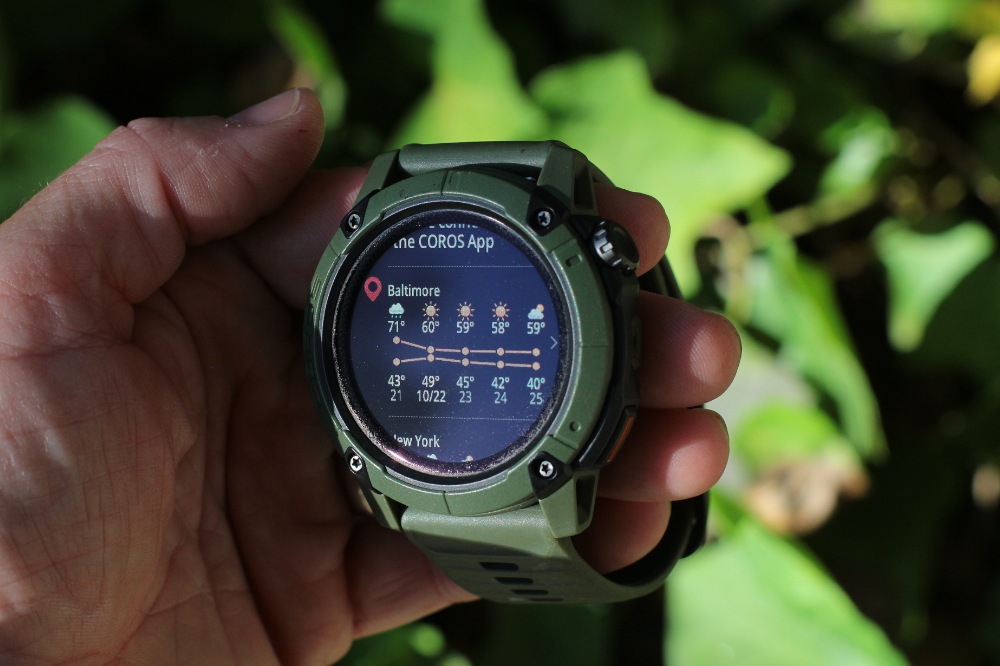
Daily weather report
> Pins
Okay, so Coros is playing up the pin feature pretty hard on this watch. In fact, they’re probably the most hyped aspect of this watch. To many, the pins may sound like minor features at best, gimmicky at worst. I’m here to defend them.
As a writer, my favorite pin is the voice pin, which allows you to record a message to yourself while out on the run. Great for reflections, thoughts, or just a reminder to pick up groceries. The cool thing about the voice pin is that it offers a full transcript of your message (up to 200 characters), which is also editable and can be copied from within the app. The microphone quality is surprisingly good, though it would be cool to have a speaker playback as well.
I’m also forgetting where the best bathrooms and water fountains are, so I enjoyed pinning both of those as well. You can also add a voice note (i.e. this bathroom didn’t have toilet paper). I would absolutely love it if you could somehow see a crowdsourced map that shows other Coros users’ pins in this situation, but unfortunately we don’t have that feature yet.
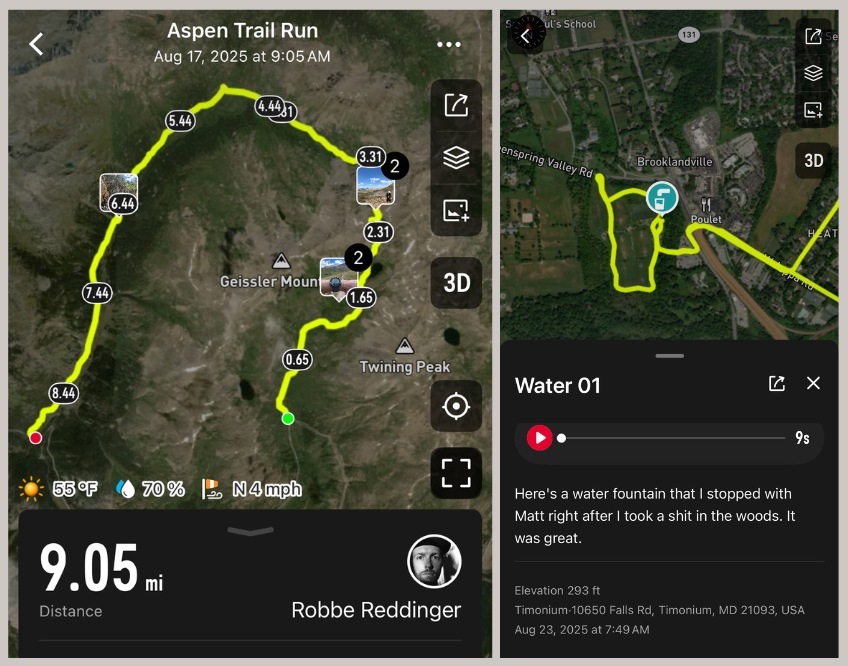
Activity photos attach to your route in the app (left), water fountain pin w/ voice memo (right)
> GPS Accuracy
For all of my runs, I’ve been using the less energy intensive All GPS mode, as opposed to the more robust Dual GPS mode. This gives you access to all satellite systems, including GPS, GLONASS, Galileo, Beidou, and QZSS, but on a single frequency as opposed to the Dual GPS mode.
Even with All GPS, I have been quite pleased; for the average person, there is no real reason to bump up to Dual unless you’re running in a canyon or a race with tall buildings. I ran with All GPS mode in downtown Chicago while spectating the Chicago Marathon, which is notorious for dropping GPS between the tall buildings. While there was some slight variance, it was pretty accurate altogether, even without using Dual GPS. This should come as no surprise for past Coros users– the GPS quality has always been rock solid.
> Offline Maps & Route Syncing
Within the app, you can add regional maps to the 32 GB onboard storage of the Coros Nomad, something that Garmin Instinct does not have. At last, these maps and routes have street names, a first for a Coros watch.
When it comes to building routes, you can save Strava routes and sync them to the watch (if you have Strava Premium). Personally, I will use AllTrails for popular routes, since it’s free to export the GPX file of your chosen route. From there, you can Airdrop the file to your phone and add directly to the Coros app which will then sync with your watch.
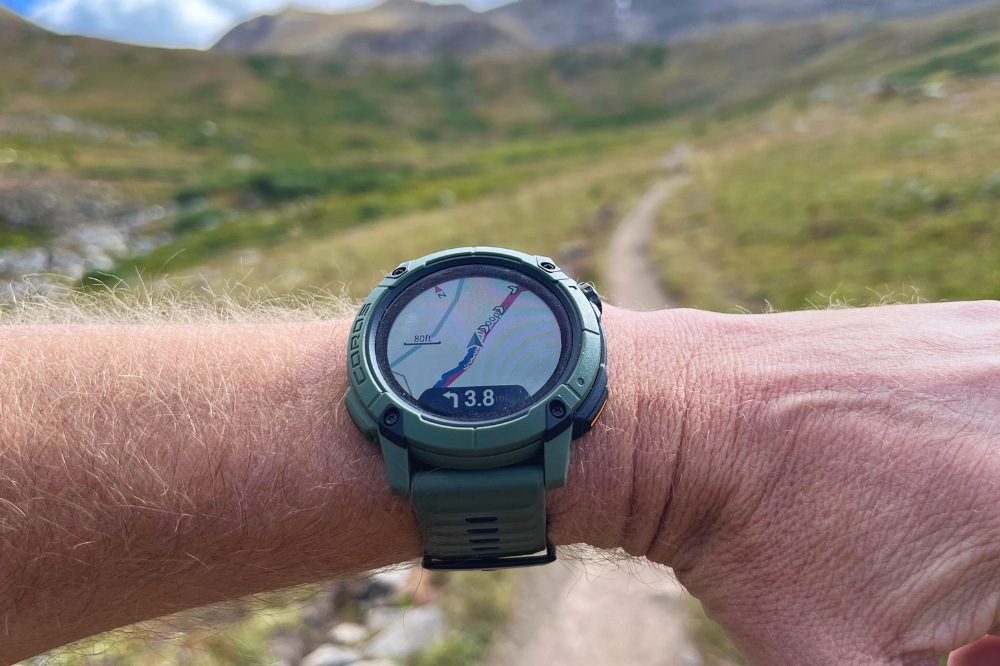
Navigating Lost Man Loop (I didn’t get lost, of course)
If you like to build your own route, I recommend using Google My Maps (not to be confused with Google Maps). It’s super easy to build custom routes with the “draw a line” tool, then download to KML/KMZ file. Since those files aren’t compatible with Coros, you’ll then have to run that through the free GPS Visualizer tool to convert it to a GPX file, which you can then Airdrop to your phone and open with the Coros app.
While on the run, the maps are easy to navigate, using the crown dial to zoom in and zoom out without much lag. If you get off course, it will alert you with a beep and provide an arrow back to your original path. I used this for an 8-mile traverse in the Rocky Mountains and it worked great from start to finish.
> User Interface
We’ve covered this before in other reviews, but the app interface and ease of use is really world class when it comes to usability. It’s so easy to navigate and add workouts and change workouts and see metrics and Airdrop routes. I use TrainingPeaks with my coach and everything syncs automatically to my Coros app, so my workouts are ready to go on my watch every week, without a single interaction on my part. After finishing a workout, the run uploads immediately and syncs to Strava within seconds. Everything is seamless between the watch and the app.
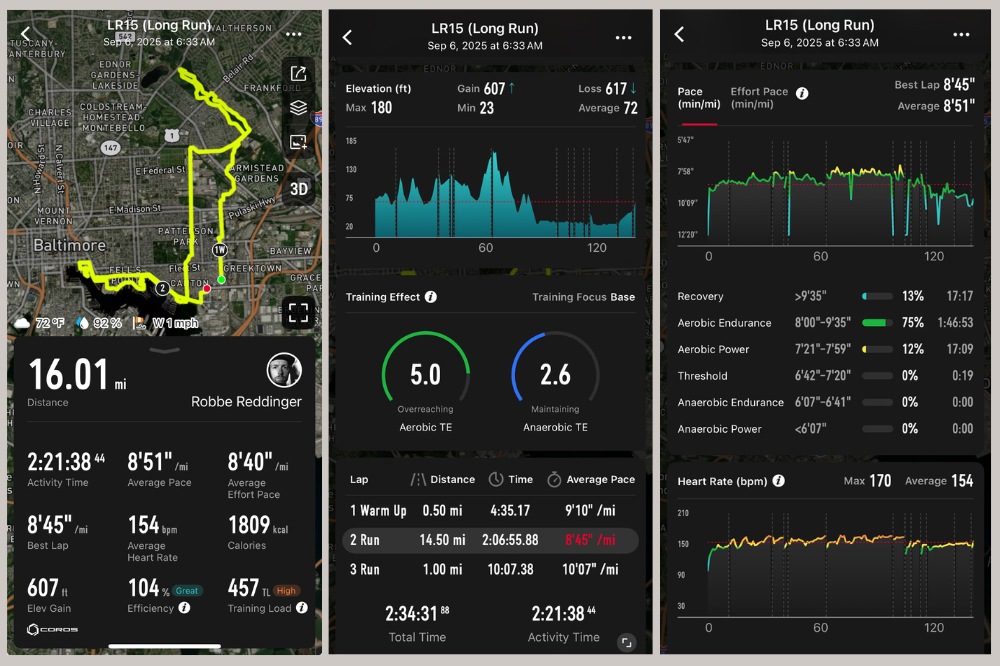
In the same way, the watch is clear and organized in its display. No, it doesn’t have the brightness of AMOLED, but it has the option for an always-on backlight that assists in darker situations. The activity metrics and their organization are easy to adjust within the app, allowing for a fully customized screen that highlights the things you care about, from heart rate to lap pace to current pace to elevation and anything in between. Everything is easy to see while on the run, which is really all that matters.
New to the watch is the customizable Action button on the left side, which allows you to assign specific actions to that button, accessible at a single touch when you need it.
> Find My Phone/Watch
My favorite feature of all? The find my phone/find my watch feature. I know plenty of watches have this, but I just need to make sure I include it here because it’s by far the most used feature on my Nomad.

If you’re a runner and an angler, this watch offers some incredibly cool features. Unfortunately, I haven’t been out on the water much recently, but younger me would’ve loved these features as I hit up the lakes, rivers, and ponds in Central Pennsylvania for smallmouth and largemouth bass. The tide and weather features are especially helpful for those anglers out on the Chesapeake Bay or tidal fishing. Taking photos of your catches and adding a voice pin detailing things like line test, lure type, and weight/length is super useful and a way to keep track of your fishing memories.
If you’re someone like me who a) enjoys taking photos on the run, b)always thinking of ideas that you wish you could remember afterwards, or c) taking an emergency bathroom break on ever long run, then you’ll find the activity syncing and pin features to be quite useful.
For true adventurers, you’ll want offline mapping for navigation purposes, something that the Garmin Instinct does not have (which is legitimately insane). With the Instinct, you have to pair it with the Garmin App on your phone to get maps and real-time visual guidance, only visible on the phone. That feature alone makes the Coros Nomad an exceptionally better buy in my book.
The value cannot be understated. At $349, the Coros Nomad provides better battery life than any competitor, and comes in at $150 less than the comparable Garmin Instinct. It looks great, wears well, and should give you years of use before you’ll need an upgrade.
It’s very much a direct competitor to a watch within its own family, the Coros Apex 2 Pro. Outside of the materials and display, it offers more features than the $449 Apex 2 Pro, with a better battery life, at a price point that’s $100 less.
As I said, as someone who loves route building for weird adventures and recording my thoughts on the go, this is my favorite Coros watch yet and I can’t recommend it enough.
To be fair, this watch sits in a weird place in the Coros family. It manages to fit in between the Coros Pace and Coros Apex, which are both pretty great in their own right, especially now that the Coros Apex 4 is out. Outside of the pins, offline mapping, and street names, it doesn’t offer much more in terms of an upgrade. In the case of a display, it’s a downgrade from the Pace Pro, but in the case of battery life and niche features, it’s a step up. Compared to the Apex 2 Pro, this watch has a mineral glass screen instead of the sturdier sapphire glass, but the battery life is nearly 25% better and it has offline maps with street names.
If you’re looking for a bright AMOLED display, this doesn’t have it, unlike the Coros Pace Pro or the Garmin Instinct. This also doesn’t have some of the bonus features that come with the Instinct, like a flashlight and Garmin Pay.
Since Coros is a Chinese-owned company, we’ve seen some users raise privacy concerns, though most GPS brands have some sort of offices or servers in China at this point, and Suunto is wholly Chinese owned. Most people don’t even care about this, because at this point, our privacy and data has been accessed and sold a thousand times over. Even so, I parsed their privacy policy and emailed Coros directly to clarify some of the points.
Here are the questions I asked:
BITR: What assurance do we have that the service provider (i.e. server storage) is not using that information? How is this regulated or monitored?
COROS: We bind all service providers with data-processing contracts that (a) limit use strictly to our documented instructions, (b) require security controls, and (c) flow these obligations down to any sub-processors. We also limit what they see and log access. We perform vendor due diligence before onboarding, use least-privilege access, keep audit logs of access where feasible (especially for support tools), and review sub-processor disclosures from our key vendors. Breach and misuse are reportable per contract.
BITR: I’m aware that US data is stored on servers in the US. However, Coros obviously has access to that data and in the privacy policy, it notes that data may be transferred to Group Companies, meaning the companies that are affiliated with COROS Wearables Inc., including companies with their registered office in China. What data is transferred to these companies?
COROS: We only transfer data that is operationally necessary to fulfill a user’s specific request (ie: support/diagnostics), and only with explicit consent under GDPR Art. 49(1)(a). Typically the only time data is transferred it is sent directly to our COROS entity in China for advanced troubleshooting for hardware and software that allows us to work directly with our engineers and factory teams to make quick, effective decisions to help solve user problems. No marketing/advertising transfers. We do not transfer for advertising/marketing analytics; payment processing stays with designated payment providers; EU/UK personal data is stored in the EEA (per policy).
BITR: Do Chinese authorities (i.e. government related entities) have access to any COROS data or any data held by Coros Group Companies within China?
COROS: No. If any authority anywhere requests data, we require a valid legal process, assess scope/validity, and limit/oppose where inconsistent with privacy laws; we notify the user where legally allowed. User data is not accessible by Chinese authorities or any government authorities in any region.
BITR: Is Coros data ever shared with third party analytics companies or service providers who then share that data with Chinese authorities (i.e. government-related entities)?
COROS: No. Our analytics/advertising tools listed in the policy (e.g., Google Analytics, Facebook Pixel, Refersion) are U.S./EU-based services governed by their own data-processing terms. We do not engage analytics vendors that transmit your data to Chinese authorities.

So here’s the deal: if you want a watch that’s simple and straightforward, without maps or navigation or a rugged build, then go for the Coros Pace 3 ($229). If you need something with a brighter display and flashlight and on-the-go payment options and don’t mind dropping an extra $349, then go with the Garmin Instinct.
But if you’re an adventurous person who wants a seriously cool watch with incredible battery life, rock solid GPS, offline maps, and a robust suite of fun features at an unbeatable price point, then the Coros Nomad is what you want. It’s personally been my daily driver for the past two months and I see no reason this will come off my wrist anytime soon.
You can pick up the Coros Nomad for $349 at coros.com by using the shop button below.
Shop Coros NomadHave something to say? Leave a Comment



Robbe is the senior editor of Believe in the Run. He loves going on weird routes through Baltimore, finding trash on the ground, and running with the Faster Bastards. At home in the city, but country at heart. Loves his two boys more than anything. Has the weakest ankles in the game.
More from Robbe Read Article